Transactions
Transactions records the spending and income situation of the cash balance in the wallet in detail.
Steps
On the Transactions page, you can view the detailed changes in the cash balance.
- Click the search box to select filtering criteria, supporting search or filtering by transaction ID, associated bill ID, income/expense, transaction type, and transaction channel.
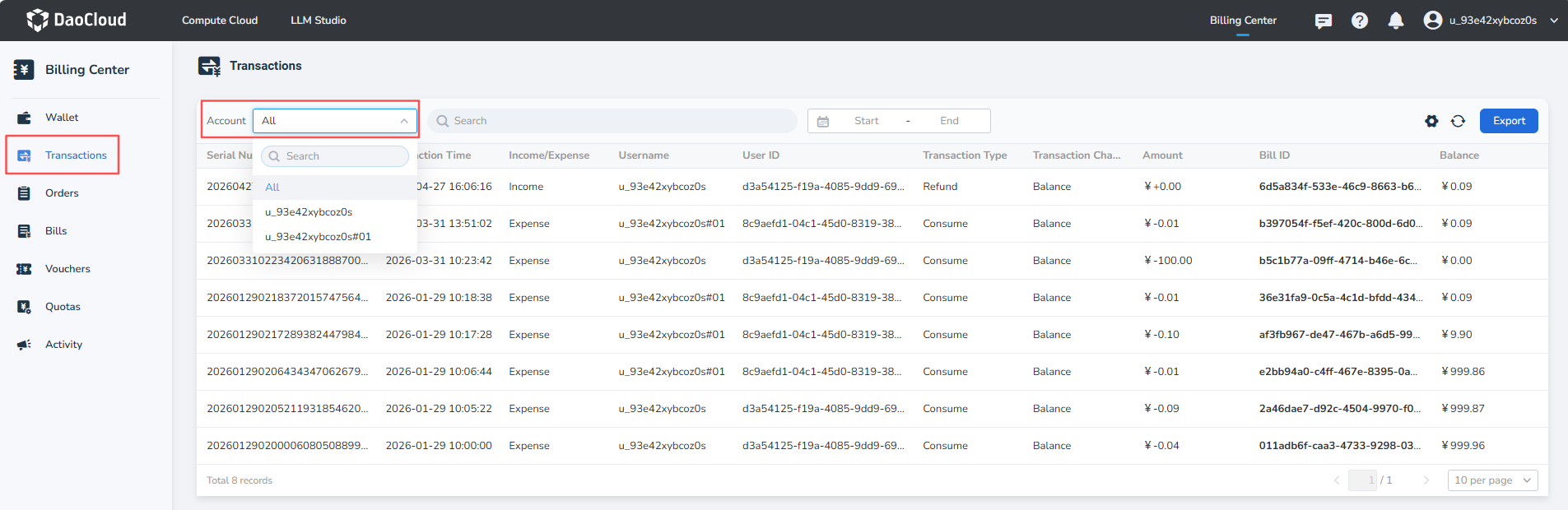
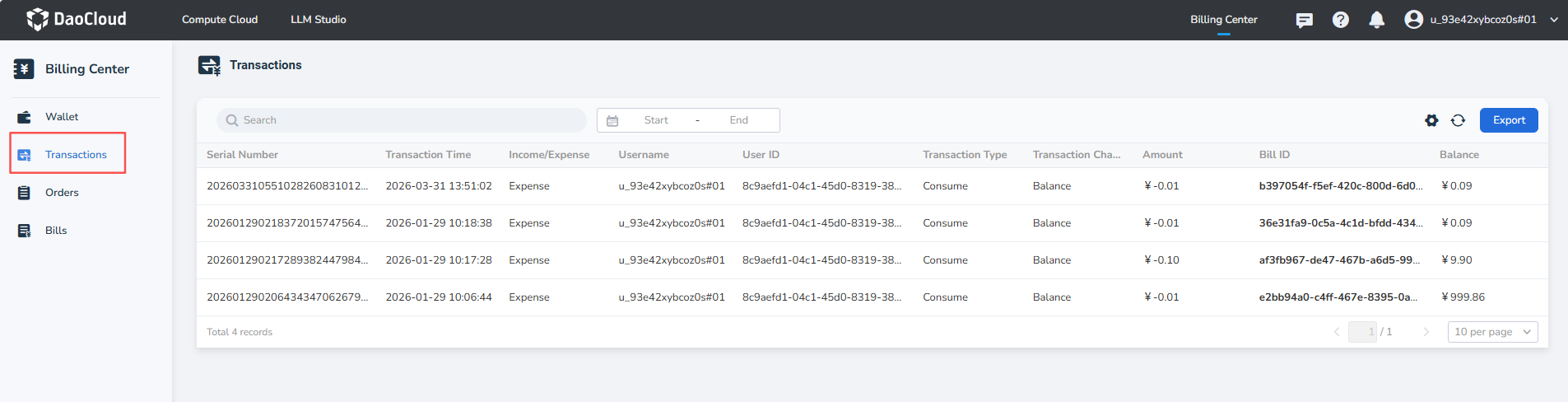
- Primary accounts can use the Account selector to filter primary-account or sub-account transactions. Sub-accounts can view transactions for the currently signed-in account only.
- The Account selector includes the primary account and all of its managed sub-accounts.
- Click the date picker to query detailed bills within a specific time range.

Primary accounts can view transactions for the primary account and its sub-accounts and filter them with the Account selector.
After signing in, a sub-account sees only its own transaction records. The list displays the username and User ID.
Detailed Fields in Transactions
| Fields | Description |
|---|---|
| Serial Number | A unique identifier for a single transaction in the Transactions. |
| Transaction Time | The specific time of the transaction. |
| Income/Expense | Types include: income, expenditure. |
| Transaction Type | The type of transaction, categorized as: recharge, consumption. |
| Transaction Channel | The channel of the transaction, categorized as: Alipay, balance. |
| Bill ID | The bill number associated with the transaction; if none, it displays -. |
| Username / User ID | The account name and unique identifier that initiated the transaction. |
| Balance | The remaining cash balance after this transaction occurs. |